Set up hierarchy-aware dependency automations
This page is intentionally self-contained so it can be embedded inside monday.com without sending users elsewhere.
1Install and authorize the app
Install Multi-Level Board Dependencies in your monday account using the Marketplace installation flow. An account administrator may need to approve requested permissions. The app uses monday permissions only for the functionality described in its listing and Privacy Policy.
2Create the hierarchy-aware Status trigger
Open monday's automation/workflow builder and choose the Multi-Level Board Dependencies hierarchy-aware Status trigger. Select the Status column and the Status value that should cause the automation to run.
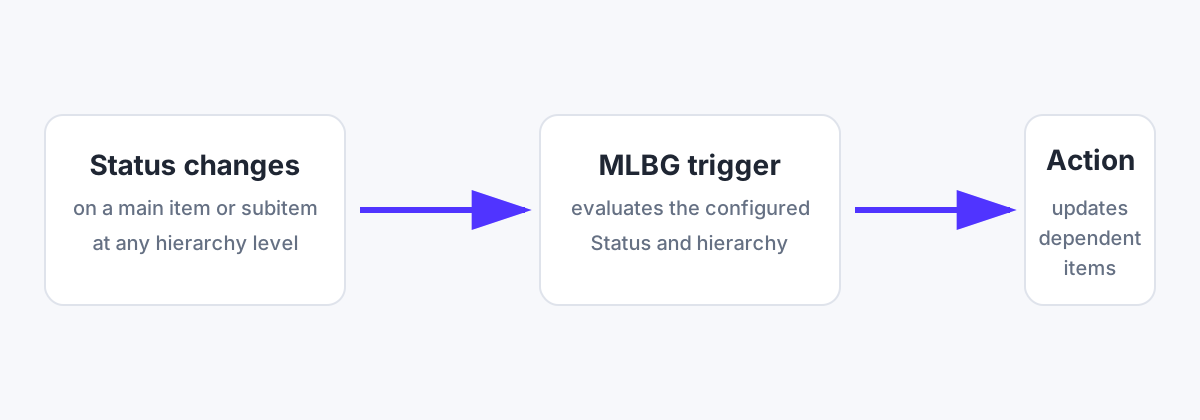
The trigger passes the actual item that caused the event into the next action, including supported subitem/hierarchy cases.
3Choose a dependent-item action
Multi-Level Board Dependencies offers three downstream action types:
- Update dependent item status — set a selected Status value.
- Update dependent item text — write a fixed value into Text, Long Text, or Numbers.
- AI update dependent item text — generate one value per dependent item using monday AI.
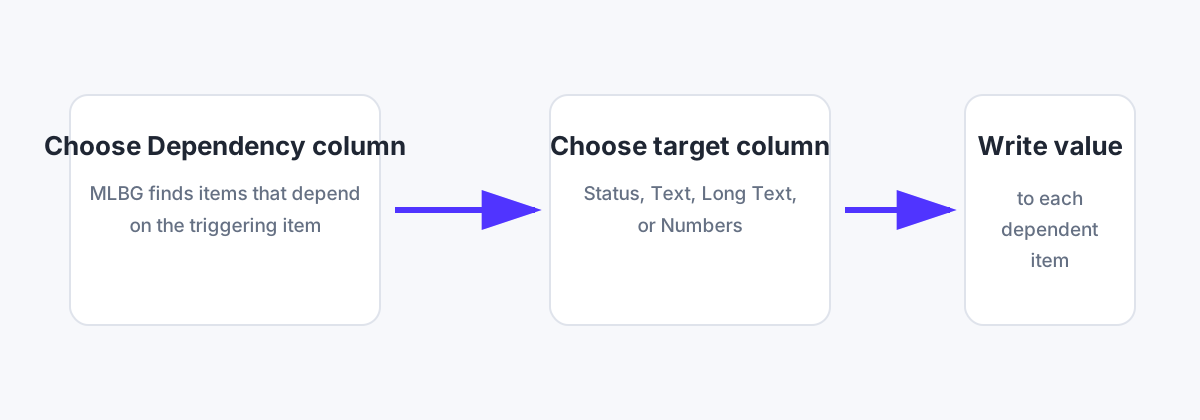
4Select the Dependency column
Choose the monday Dependency column that identifies which downstream items depend on the triggering item. The App finds direct dependent items using that selected column.
5Configure the target
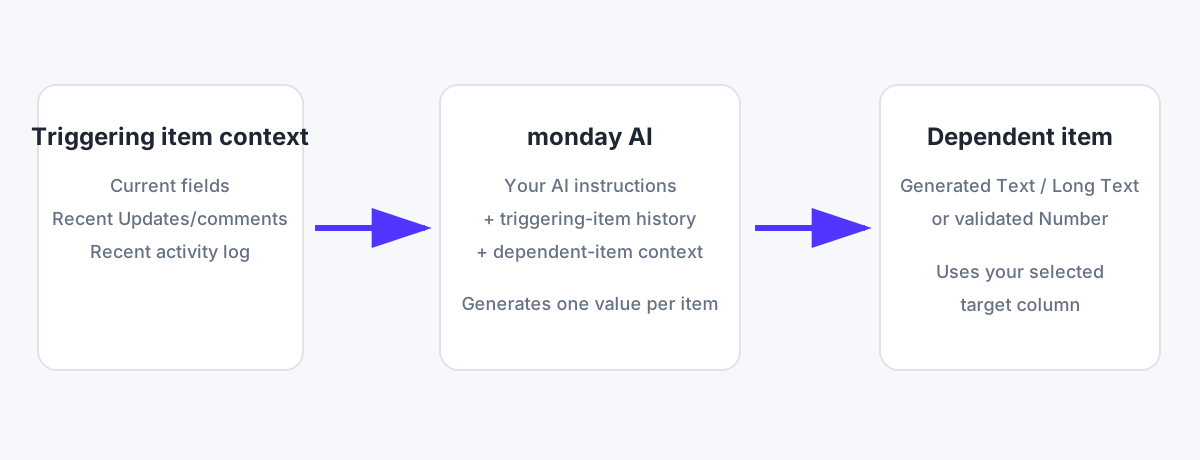
For a Status action, select the target Status column and target Status value. For fixed text, choose a Text, Long Text, or Numbers column and enter the value. For an AI action, choose the target column and enter plain-language AI instructions.
6Use recent Updates and activity in AI summaries
The AI action can use the triggering item's current fields, recent Updates/comments, and recent item activity, together with the current dependent-item context.
Example instruction:
Summarize the recent Updates and activity-log changes on the triggering item in 2–3 concise sentences, emphasizing decisions, status changes, and newly completed work.
7Understand monthly usage
One operation means one dependent item selected for processing. If one trigger causes five dependent items to be processed, that uses five operations. The Status, fixed-text, and AI actions share the same monthly plan allowance.
8Test before relying on a production workflow
Create a small test dependency chain, change the source Status, and confirm the intended dependent item receives the expected update. For AI instructions, review generated output before using it for consequential decisions.
Video walkthrough
Five-minute showcase and setup walkthrough for Multi-Level Board Dependencies.
Support
Email support@multilevelboarddependencies.com for installation and authorization help, App configuration questions, subscription/usage questions, reproducible defects, and security or privacy concerns relating to Multi-Level Board Dependencies.
We aim to respond to ordinary support requests within 2 business days and to respond promptly to issues reasonably identified as urgent. General monday.com consulting, custom board design, custom software development, and issues caused solely by third-party products are outside the standard support scope unless separately agreed.